OPNsense is a FreeBSD based open source firewall and routing platform deployed here for a client with heavy AI inference traffic, data transfers, and everything running through the stack.
The specific part worth covering: kernel level network tunables. These are low level system configuration values baked into the FreeBSD operating system that OPNsense runs on. They control how the network stack allocates memory, processes packets, handles TCP connections, and distributes work across CPU cores.
In my opinion, one thing to be upfront about before going further.
The honest caveat first
Networking has an enormous number of variables. Link speed, RTT, NIC driver behavior, CPU architecture, ISP conditions, workload type, traffic patterns. When you change ten things at once and see improvement, you cannot always confidently attribute that improvement to any single change.
What I can say is this: after implementing these tunables the workloads showed less network jitter on real time workloads, noticeably higher sustained throughput when transferring large files and assets, and better behavior across the client data pipelines and AI inference workflows running through the box. Whether every one of these tunables contributed equally, I genuinely cannot tell you. The research and documentation behind each one is solid. The math checks out. But in production, your mileage will vary based on your specific setup.
The research process is documented here because the findings are transferable and the uncertainty is real. No overselling the results.
What OPNsense actually is and why it matters
OPNsense runs FreeBSD under the hood. FreeBSD is the same OS that powers major CDN infrastructure and high performance routing equipment. It exposes hundreds of kernel parameters through a system called sysctl that you can tune at runtime or at boot time.
The default values FreeBSD ships with are intentionally conservative. They are designed to work on any hardware from a Raspberry Pi to a 256 core server. That conservatism is a feature for general purpose use and a bottleneck for anyone trying to push real performance through a dedicated network appliance.
The tunables below are the ones I researched most carefully, cross referenced across the FreeBSD handbook, OPNsense official documentation, Calomel.org (one of the most respected FreeBSD performance tuning references), academic papers on congestion control, and multiple community threads from people running high throughput setups. I am not pulling these from a random Reddit post.
The tunables and what the documentation says about them
TCP buffer autotuning
What I set:
net.inet.tcp.sendbuf_auto = 1
net.inet.tcp.recvbuf_auto = 1
net.inet.tcp.sendbuf_max = 4194304
net.inet.tcp.recvbuf_max = 4194304
net.inet.tcp.sendbuf_inc = 16384
net.inet.tcp.recvbuf_inc = 16384
This one has the clearest mathematical explanation of any tunable on this list.
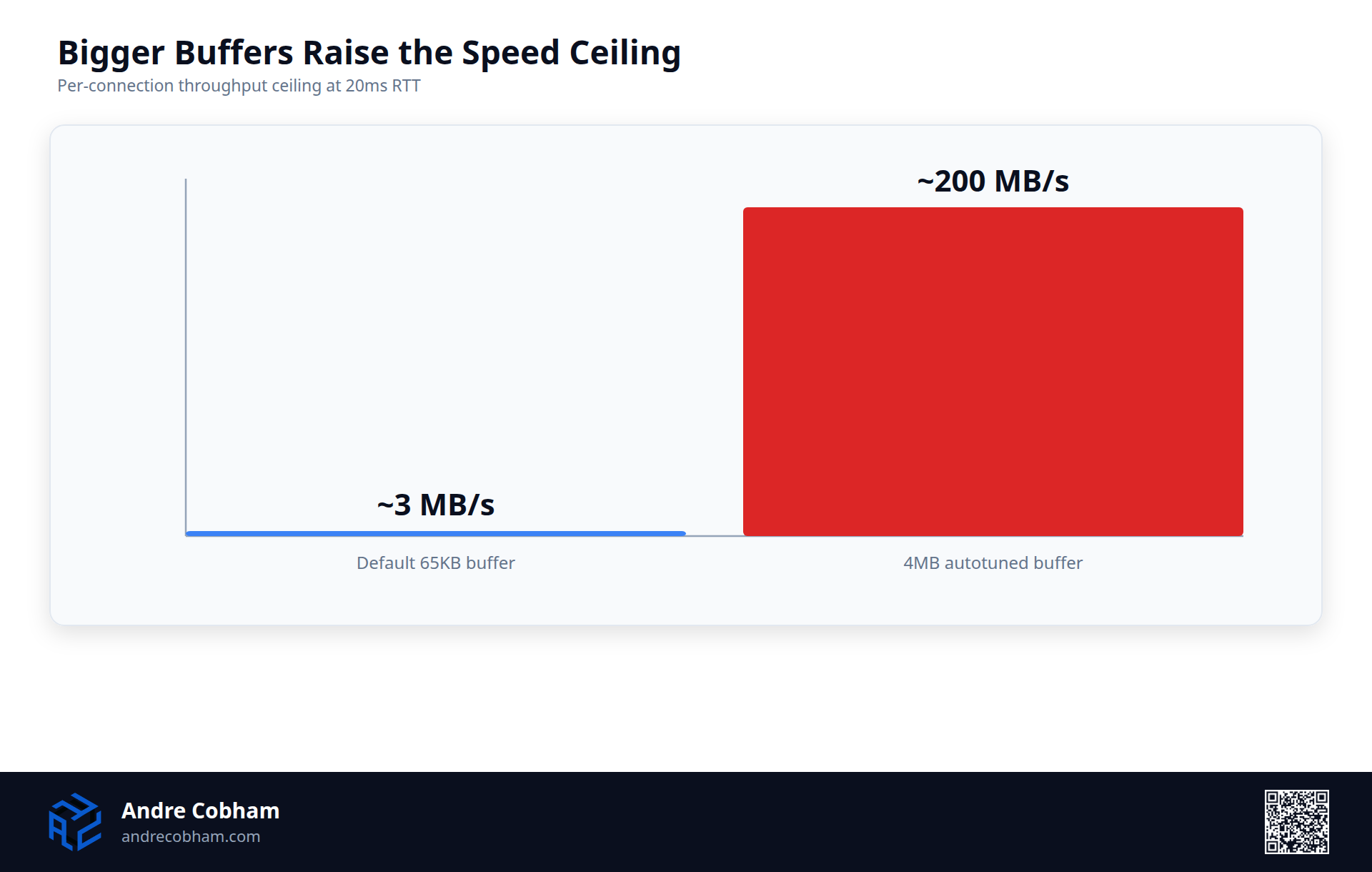
TCP throughput on any single connection is bounded by a formula called the bandwidth delay product: maximum throughput equals buffer size divided by round trip time. Our default static buffer of around 65 KB with a typical 20ms RTT to European peers gives a per connection ceiling of roughly 3.3 MB/s regardless of actual line speed. With 4 MB autotuned buffers on that same 20ms path, the ceiling becomes around 200 MB/s.
For connections between Amsterdam and US based infrastructure at around 80ms RTT, the difference is even more pronounced. The static buffer gives about 0.8 MB/s per connection. The autotuned 4 MB buffer gives around 52 MB/s on the same link.
The kernel does not allocate the maximum immediately. It grows buffers dynamically per connection based on actual observed throughput, which means memory is only used where it is actually needed.
Sources: FreeBSD handbook section 11.13, Calomel.org, Netgate forum NIC buffer tuning thread, Nginx FreeBSD tuning guide.
Optimized TCP receive path
What I set:
net.inet.tcp.soreceive_stream = 1This one is harder to visualize but the explanation from the FreeBSD source documentation is clean. The default TCP receive path acquires and releases the socket buffer lock once per mbuf, meaning one lock operation for each small chunk of data in a packet burst. The optimized path does one lock acquisition per system call regardless of how many mbufs are waiting.
At 1 Gbps you are processing around 85,000 packets per second. The lock operation reduction is not trivial. Documentation from Calomel and the Binary Impulse OPNsense tuning write up both describe this as one of the most impactful single tunables for CPU reduction on fast TCP streams, with estimates ranging from 10 to 20 percent CPU reduction on the receive path.
One important caveat: this tunable conflicts with using rndc to remotely reload BIND DNS. If you rely on rndc, leave this one off.
Sources: Calomel.org, Binary Impulse OPNsense multi gigabit guide, Jeffrey Belt OPNsense 1G throughput analysis, FreeBSD source code comments.
Receive side scaling
From my perspective, what I set (boot time, in loader.conf):
net.inet.rss.enabled = 1This one required the most research to understand fully.
By default, all incoming packets on FreeBSD interrupt a single CPU core. It does not matter how many cores your machine has. One core handles all packet processing. RSS (Receive Side Scaling) distributes incoming flows across all available CPU cores using a hash of each connection's four tuple: source IP, source port, destination IP, destination port. Flows stay on the same CPU core over time, which means better CPU cache locality and no cross core lock contention.
The OPNsense documentation notes that one community member went from 4 to 5 Gbps throughput to near line rate simply by combining RSS with the netisr threading tunables. The configuration already had net.isr.maxthreads = -1 and net.isr.bindthreads = 1 set, but without net.inet.rss.enabled = 1 in loader.conf those settings are largely inert. RSS is the activation switch that ties the multi core configuration together.
This is a boot time only tunable and requires a reboot to take effect. It also requires your NIC driver to support RSS. Confirmed working drivers include igb, axgbe, ixl, ixgbe, and mlx5. Do not enable this on Chelsio T4 or T5 cards.
Sources: OPNsense official performance docs, Binary Impulse OPNsense multi gigabit, Calomel.org, FreeBSD netisr manpage.
Congestion control algorithm
What I set:
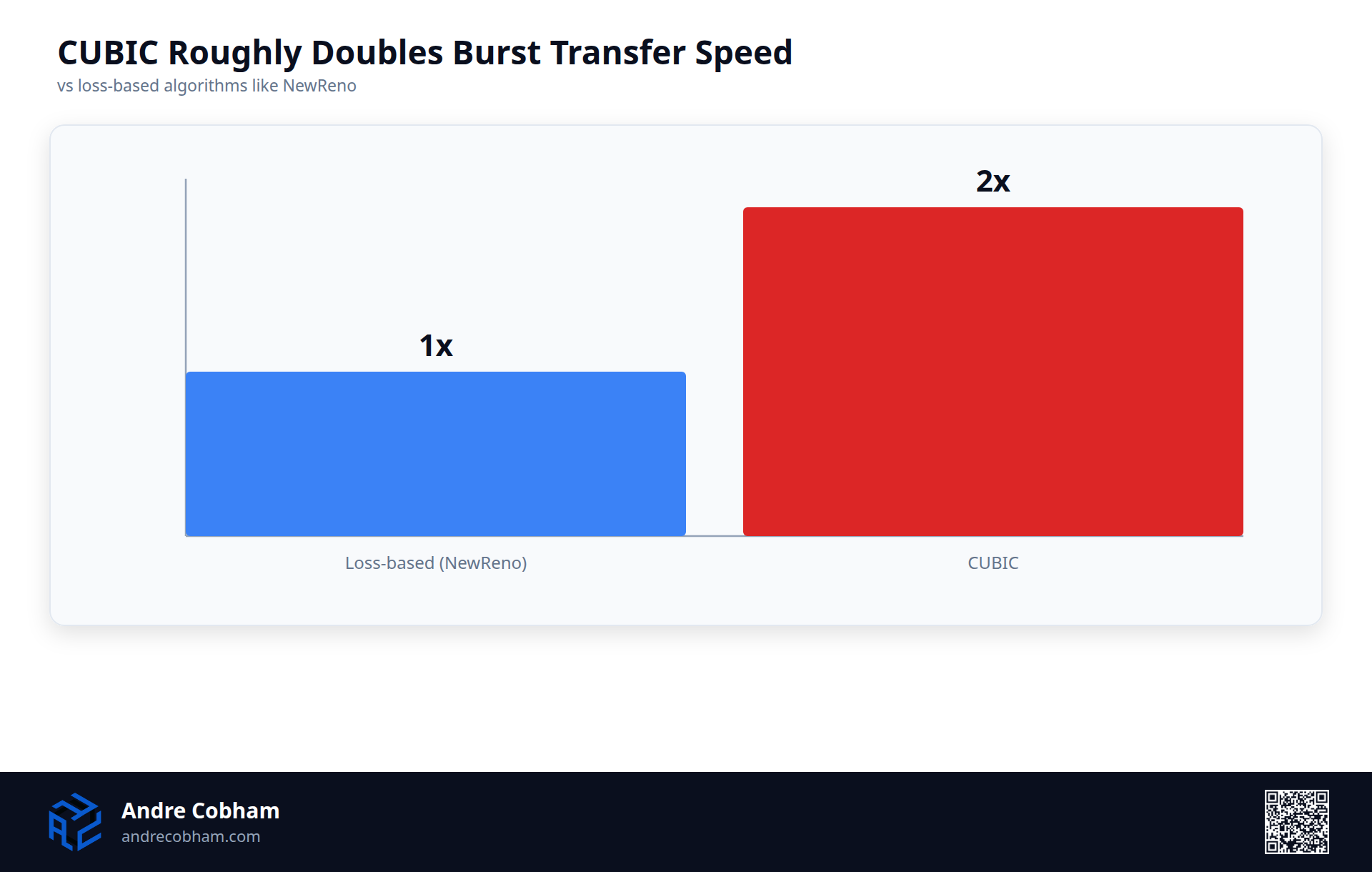
net.inet.tcp.cc.algorithm = cubicFreeBSD defaults to NewReno as the TCP congestion control algorithm. NewReno grows its congestion window linearly after a packet loss event. CUBIC uses a cubic function that recovers to its previous window size much faster after loss, and also includes the HyStart algorithm that exits the slow start phase before losses actually occur.
Calomel describes CUBIC as capable of up to 2x improvement in burst data transfers compared to packet loss based algorithms like NewReno. That number is from ideal lab conditions but the directional improvement is consistent across multiple sources. CUBIC is also the default in modern Linux kernels, which tells you something about where the industry consensus has landed.
You need to add cc_cubic_load = "YES" to /boot/loader.conf and reboot. Verify it loaded with sysctl net.inet.tcp.cc.available.
Sources: Calomel.org, RFC 8312 (CUBIC), Netgate forum congestion control thread, FreeBSD cc_cubic manpage, RIPE Labs CUBIC vs BBR analysis.
Network buffer pool
What I have found is that what I set (boot time):
kern.ipc.nmbclusters = 262144mbufs are the kernel's internal network memory buffers. Every packet in flight, every socket buffer, every NIC ring descriptor consumes mbufs from a shared pool. When the pool exhausts, the kernel drops packets at the lowest possible level, before pf, before routing, before any logging. It is silent packet loss with no obvious indicator unless you specifically check netstat -m.
The default pool size is sufficient for light usage but a firewall handling simultaneous VPN tunnels, AI model traffic, DNS resolution, and client sessions will push against it under load. 262144 clusters equals approximately 512 MB of reserved network buffer space.
Before setting this, run netstat -m and look at the "mbufs in use" vs max ratio. If you are consistently above 60 percent, this is the fix.
Sources: FreeBSD handbook section 11.13, Netgate 10Gbps forum, OpenNET FreeBSD high connection tuning, Nginx.org FreeBSD tuning.
Connection listen queue
What I set:
kern.ipc.somaxconn = 2048
kern.ipc.soacceptqueue = 2048
The listen queue holds incoming connections that have completed the TCP handshake but have not yet been accepted by the receiving daemon. The default is 128. The FreeBSD handbook directly states that 128 is "typically too low for robust handling of new connections in a heavily loaded environment."
When the queue fills, new SYN packets are silently dropped. The client sees a timeout. At 128 connections, a brief burst of 200 simultaneous inbound connections loses 72 of them with no error logged. At 2048 you have 16 times the headroom.
Large listen queues also help with DoS resilience by making queue exhaustion attacks harder to sustain.
Sources: FreeBSD handbook, Netgate 10Gbps forum, OpenNET FreeBSD tuning, Infohack.eu FreeBSD sysctl guide.
PF source node hash table
What I set (boot time):
net.pf.source_nodes_hashsize = 65536This one is more targeted and only matters if you use sticky address NAT or source tracking rules in pf. The PF firewall tracks source IPs in a hash table. When the table is undersized relative to the number of unique clients, hash collisions increase and pf has to perform linear scans instead of O(1) lookups for each rule evaluation.
With the default table size and 10,000 unique client IPs, you get an average of nearly 10 entries per bucket, meaning linear scans on most lookups. At 65,536 buckets the average drops to well under one entry per bucket and lookups are near constant time at any realistic client count.
Sources: Calomel.org, Binary Impulse OPNsense guide, FreeBSD pf manpage.
MSS default and TCP segment efficiency
What I set:
net.inet.tcp.mssdflt = 1448
net.inet.tcp.abc_l_var = 44
net.inet.tcp.minmss = 536
The Maximum Segment Size controls how much data fits in each TCP segment. 1448 accounts for standard 1500 byte Ethernet MTU minus IP header (20 bytes) minus TCP header (20 bytes) minus PPPoE overhead (12 bytes), which is a common overhead pattern on ISP uplinks.
At the wrong MSS, the stack either fragments packets unnecessarily or wastes header space. At the correct value you fit the maximum payload into each segment. The efficiency math is straightforward: 1448 bytes of payload per segment versus a misconfigured 512 gives you 2.8 times more data per segment and proportionally fewer packets for the same amount of data transferred.
Sources: Calomel.org, RFC 879, FreeBSD tcp manpage.
What the production data showed
To be specific about the qualitative observations:
Large file transfers across the Amsterdam to US path are noticeably more sustained. Where throughput previously dropped mid transfer, it now maintains closer to the line rate ceiling for the full duration. This is consistent with what you would expect from fixing the bandwidth delay product limitation on the TCP buffers.
AI inference traffic from the Ollama and LLM pipeline running on the client network has less jitter. Inference streaming generates a lot of small TCP segments over time and the lower CPU overhead from soreceive_stream appears to help here, though I cannot isolate it cleanly.
Under load with multiple simultaneous sessions the drop behavior that occasionally appeared before has not recurred. Whether that is the mbuf pool increase, the listen queue size, or something else cannot be isolated with certainty.
The implementation notes
A few practical points if you follow any of this:
Runtime tunables go under System > Settings > Tunables in the OPNsense GUI. Boot time tunables go in /boot/loader.conf and require a reboot to take effect. Do not mix them up or the boot time ones will appear to work but reset on reboot.
Make one or two changes at a time if you want to understand what is actually helping. I did not do this initially and have less clarity on individual contributions as a result.
Always run netstat -m before touching mbuf settings to understand your current pool usage. Always verify RSS is actually supported by your NIC driver before enabling it. These are the two tunables most likely to cause instability if applied blindly.
The full FreeBSD handbook, Calomel.org tuning guide, and OPNsense official performance documentation are the three references I would send anyone who wants to go deeper than this post allows.
Ready to put this into practice?
Book a call to discuss how this applies to your specific operation.